
Community guide
Choicer Voicer Pack Not Showing? Here’s How to Fix It
Fix a Choicer Voicer Pack that does not appear. Check ZIP extraction, folder nesting, packs_voice, Pack type, Dub Mode, and common Pack structure problems.
Updated Sep 6, 2026
Most missing Packs are caused by incomplete extraction, an extra wrapper folder, the wrong install directory, or checking the wrong game mode. Follow these checks in order.
Quick Fix Checklist
packs_voice.What are you seeing?
The archive is not the Pack
Extract the Pack first
If you downloaded a .zip or .rar file, do not put the archive itself into the Choicer Voicer folder. Extract it first.
Downloads/
└─ my-pack.zipDownloads/
└─ my-pack/
├─ dub_video.ogv
└─ Pack filesThe wrapper-folder problem
Find the actual Pack folder
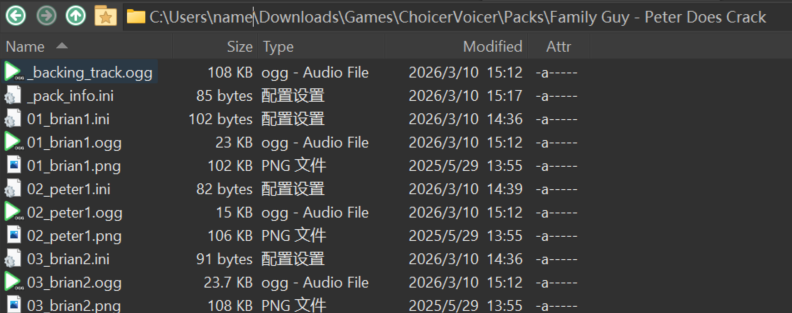
Some downloads contain an outer folder with another Pack folder inside it. Open the folders until you find the folder that contains the actual files.
packs_voice/
└─ My Pack/
  └─ My Pack/
    └─ dub_video.ogv
The Pack is one level too deep.
packs_voice/
└─ My Pack/
  ├─ dub_video.ogv
  └─ clip files
The complete Pack folder is directly inside packs_voice.
Let the game show you the path
Use the correct Pack folder
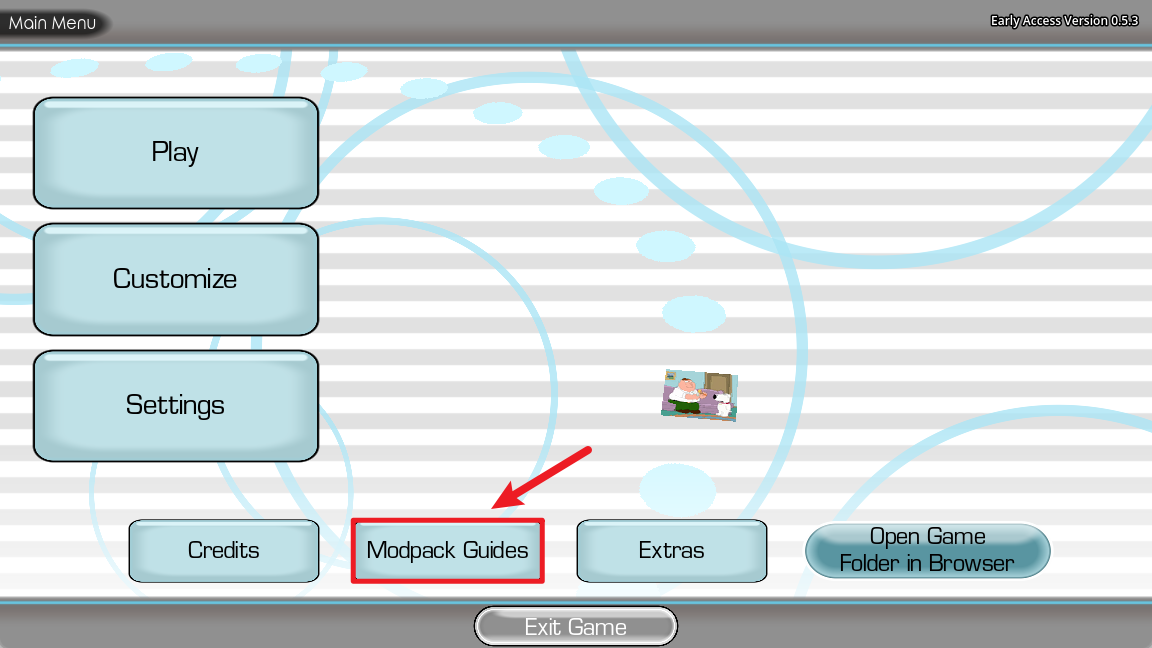
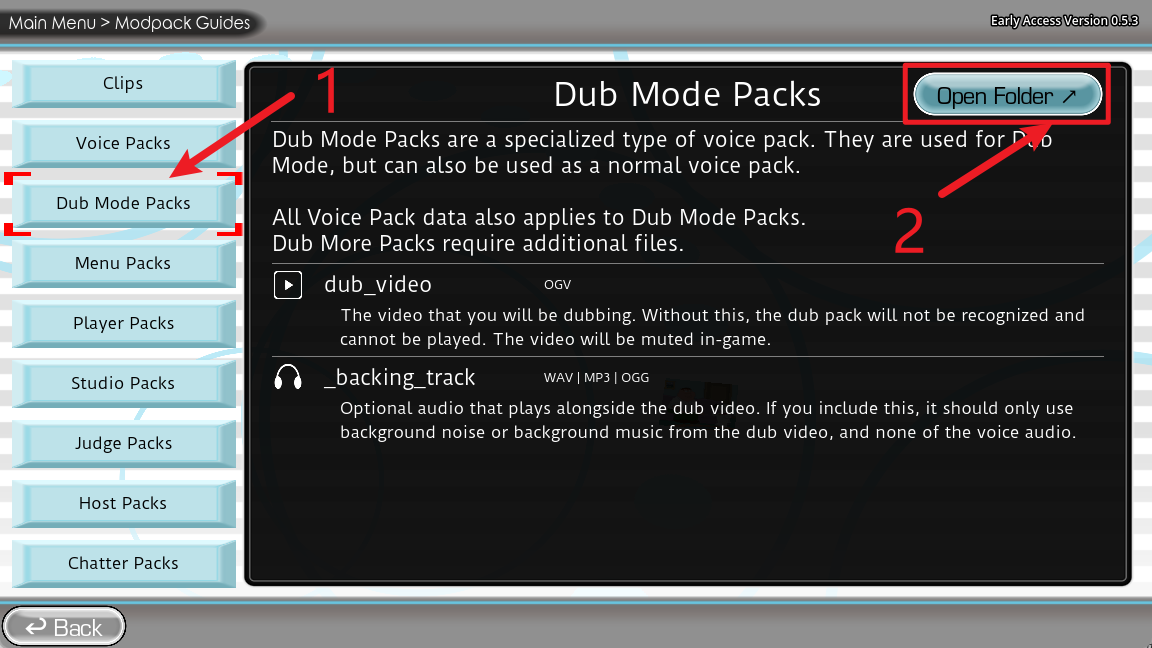
In Choicer Voicer, open Modpack Guides → Dub Mode Packs → Open Folder. This avoids guessing which game data directory is active.
On Windows, the usual folder is:
%APPDATA%\YeahMaybe\ChoicerVoicer\game\packs_voice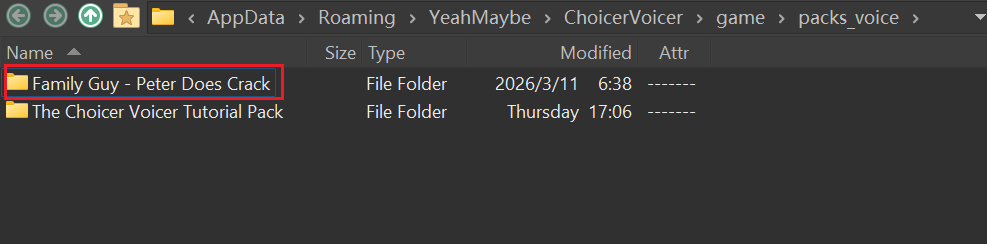
packs_voice.packs_voice/My Pack/dub_video, not packs_voice/dub_video.A Pack can be installed correctly and still be in the wrong list
Check the Pack type and game mode
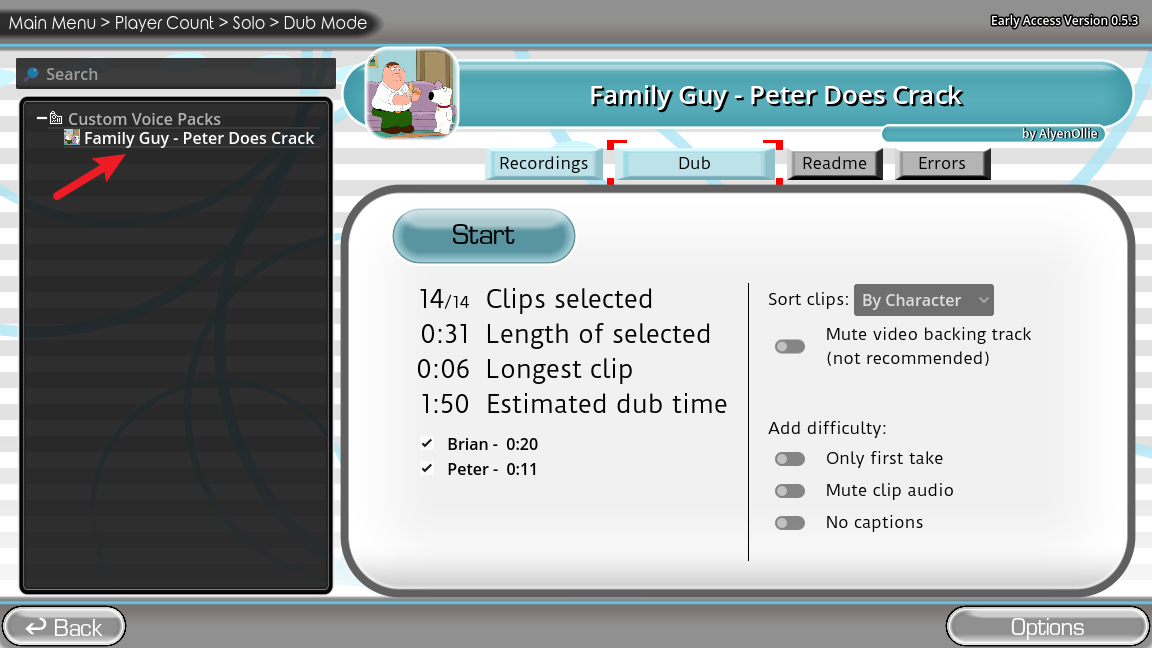
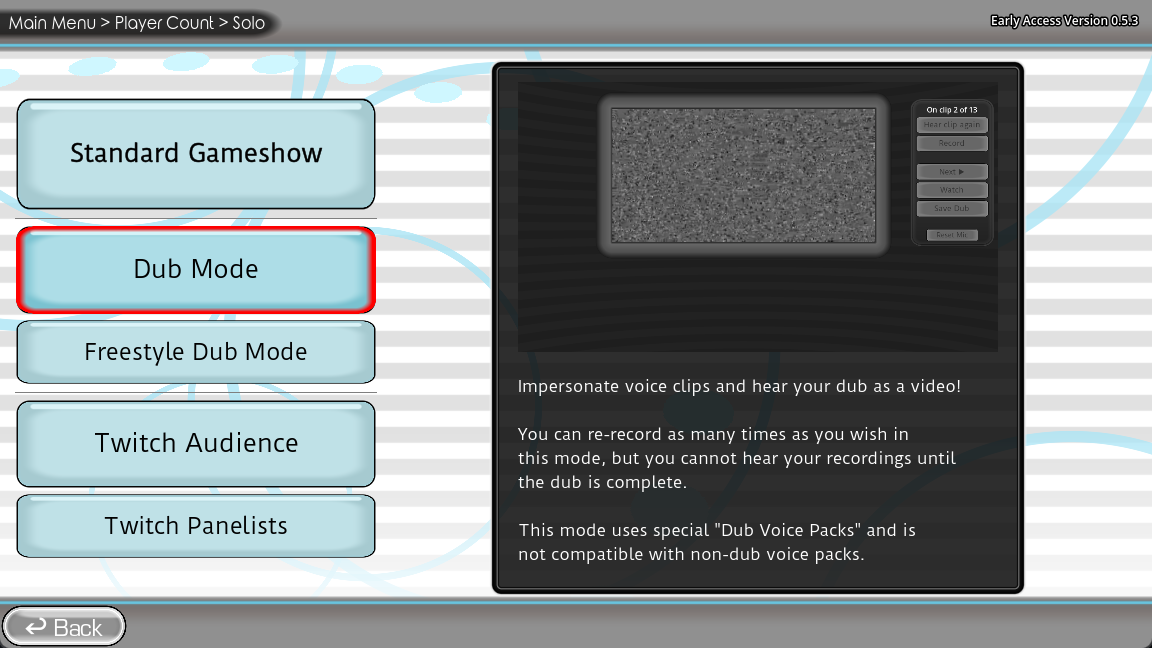
A Dub Pack is designed for Dub Mode. A Voice Pack belongs in the voice or Customize flow. If you check the wrong list, the Pack can look missing even when its files are correct.
Make the game rescan the folder
Restart and verify
Close and restart Choicer Voicer after copying the Pack. Then enter the player-count flow, choose the correct mode, select the Pack, and run a short test.
Still missing?
Check the Pack automatically
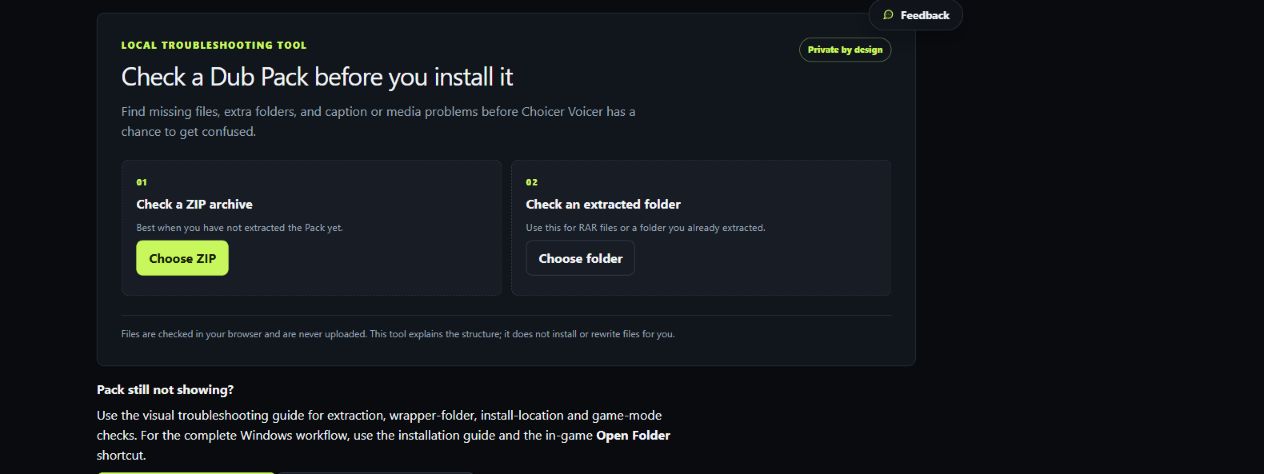
Use the local Pack Checker when you cannot tell which folder is the real Pack root or whether a required asset is missing.
Check a ZIP or extracted Pack folder in your browser.
- Finds extra wrapper folders
- Checks for the
dub_videobasename - Explains common structure problems
- Reads files locally; nothing is uploaded
If the Pack still does not appear
Check the creator’s README, confirm that you are using the correct game version and installation, and compare the result with a known-good Pack. If the problem continues, use the official community for Pack-specific help.
Pack Not Showing FAQ
Do I put the ZIP file directly into Choicer Voicer?
No. Extract the ZIP or RAR first, then place the complete Pack folder inside the directory opened by the game.
Why is my Pack folder inside another folder?
Some archives contain an outer wrapper folder. Open the folders until you find the one that contains the actual Pack files, then install that complete folder so the final layout is packs_voice/Pack Name/dub_video.
Why does my Voice Pack not appear in Dub Mode?
A Voice Pack and a Dub Pack are used in different parts of the game. Look for a Voice Pack in the voice or Customize flow, and look for a Dub Pack in Dub Mode.
Where do I put a Choicer Voicer Dub Pack?
On Windows, use Modpack Guides → Dub Mode Packs → Open Folder. The usual path is %APPDATA%\YeahMaybe\ChoicerVoicer\game\packs_voice. Follow the creator’s notes if they specify a different supported workflow.
Does the Pack Checker fix my Pack automatically?
No. It reads the ZIP or extracted folder locally, explains the detected problem, and shows which folder to install. You still make the correction and restart the game.
Does passing the Pack Checker guarantee that the Pack will work?
No. It checks common structure and asset problems. A passing result does not guarantee compatibility with every game version, media codec, or creator-specific setup.