Community guide
How to Install Choicer Voicer Dub Packs
Download, install and launch a Choicer Voicer Dub Pack while preserving its required folder structure and media files.
Updated Aug 24, 2026
Choicer Voicer installed, a Dub Pack archive from its creator, and a few minutes to copy the complete pack folder into the game’s voice-pack directory.
Not sure whether the archive is structured correctly? Run the local Pack Checker →
Want to create your own Pack? Open the browser-based Dub Pack Maker →
Install the pack
- 01
Download from the creator’s source
Use the catalog to find a Dub Pack, then follow the link to the original creator source. The creator’s page is the source of truth for the latest archive and any pack-specific notes.
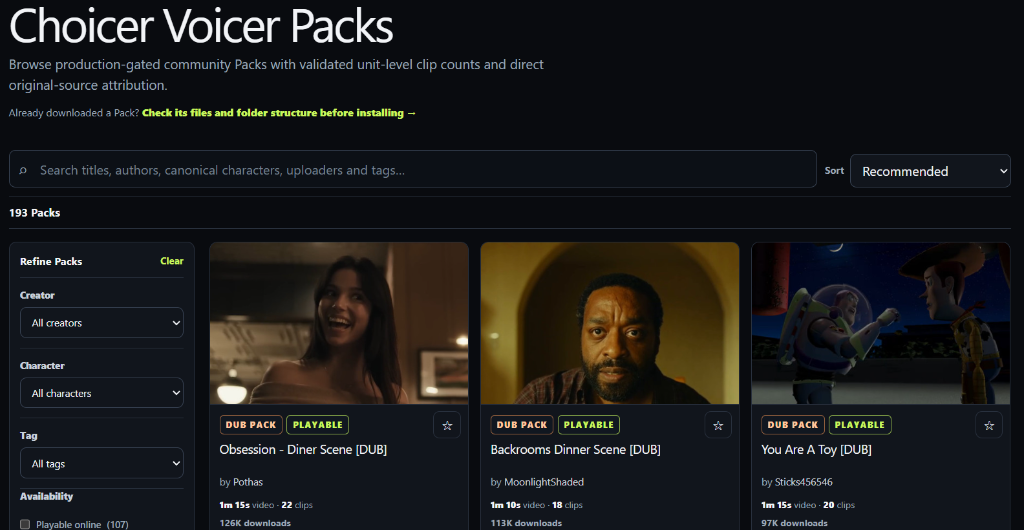
Browse Dub Packs in the catalog and open the creator’s source page to download. - 02
Extract the archive without flattening its folders
Extract the downloaded ZIP or RAR into a temporary location. Keep the complete Dub Pack folder and its internal files together; do not drag every file into
packs_voicedirectly.packs_voice/ └─ My Dub Pack/ ├─ dub_video ├─ _backing_track (optional) └─ pack files and folders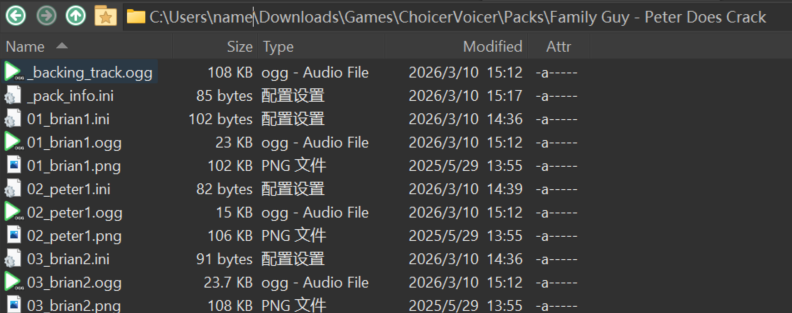
Extracted Dub Pack folder contents: keep all audio files, INI configs, and character avatars inside the pack folder. - 03
Open the Dub Mode packs folder from the game
In Choicer Voicer, open Modpack Guides from the main menu, then select Dub Mode Packs. Click Open Folder so the game opens the correct directory for you.
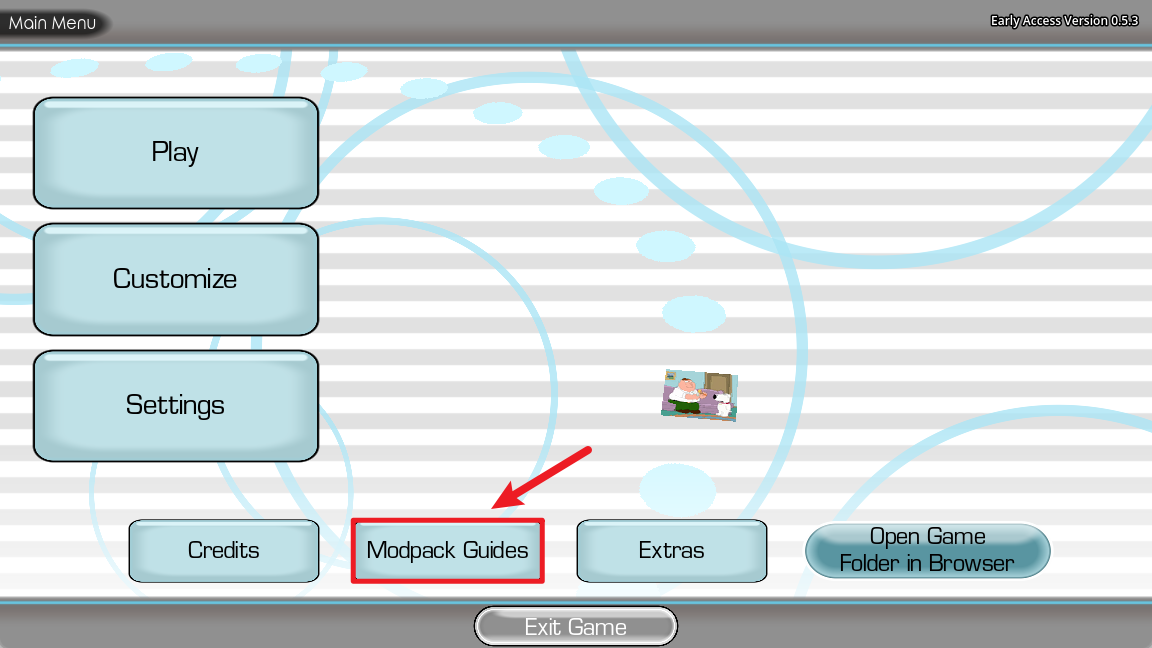
Main Menu → Modpack Guides 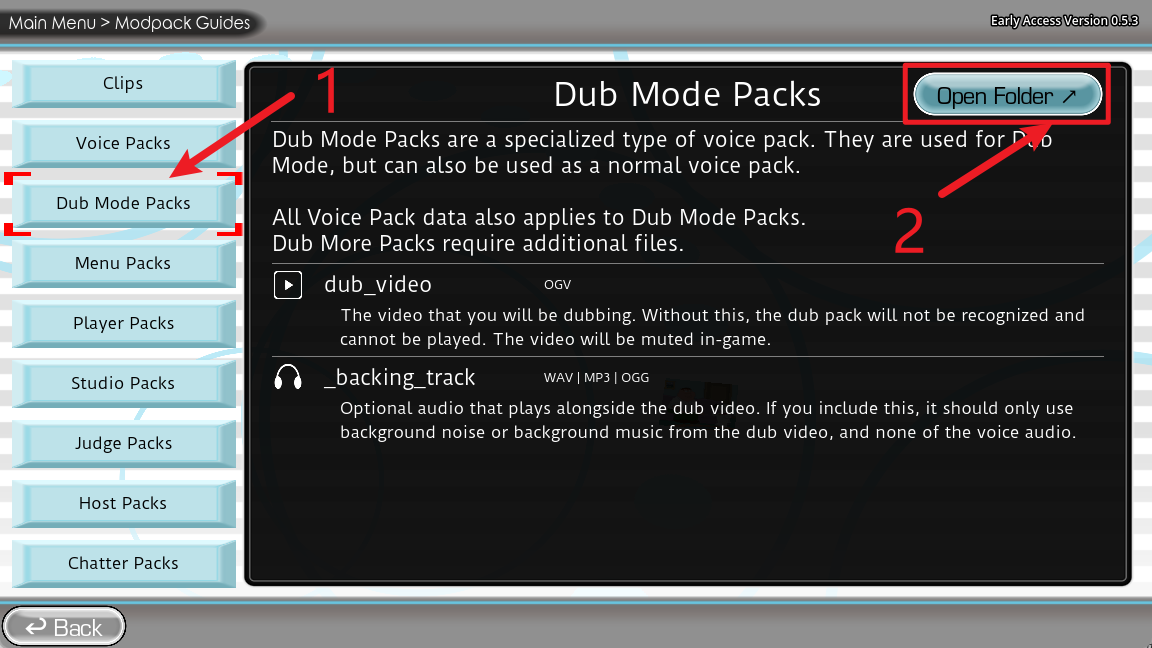
Dub Mode Packs → Open Folder On Windows, the folder opened by the game is normally:
%APPDATA%\YeahMaybe\ChoicerVoicer\game\packs_voiceThe directory inside the game data folder is
ChoicerVoicer\game\packs_voice.You can paste this path into the File Explorer address bar or the Windows Run dialog.
%APPDATA%automatically points to your Windows user’s Roaming folder.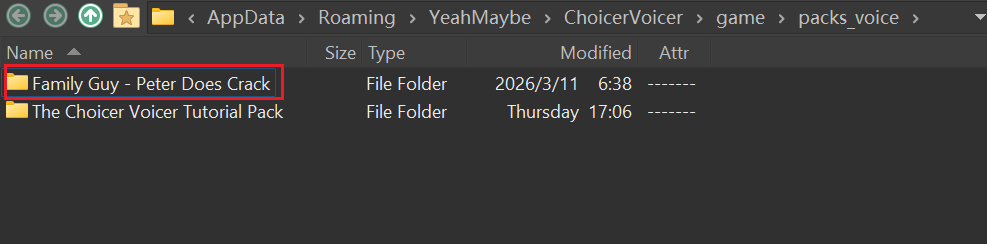
Example: each complete Dub Pack stays as its own folder inside packs_voice.Move the complete extracted Dub Pack folder into this
packs_voicedirectory. The final structure should look likepacks_voice/My Dub Pack/..., notpacks_voice/dub_video. - 04
Restart Choicer Voicer and select the pack
Close and restart the game so it rescans the pack directory. Enter the player-count flow, choose Dub Mode, select your Dub Pack from the list on the left, and click Start.
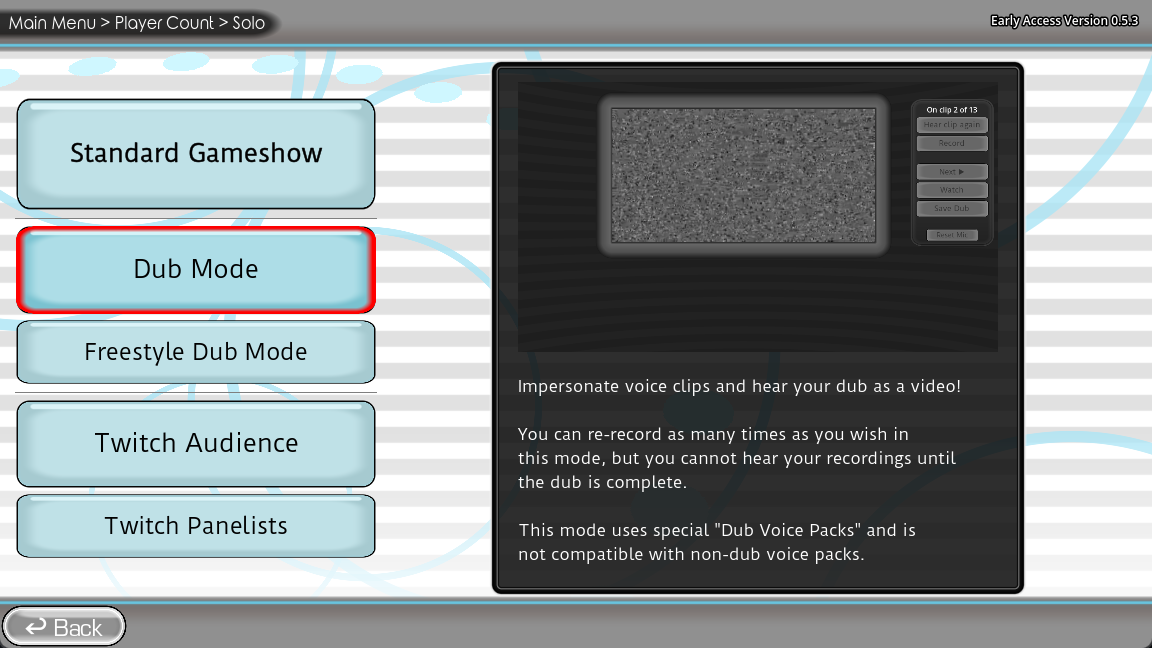
Continue from the player-count screen to the game mode selection. 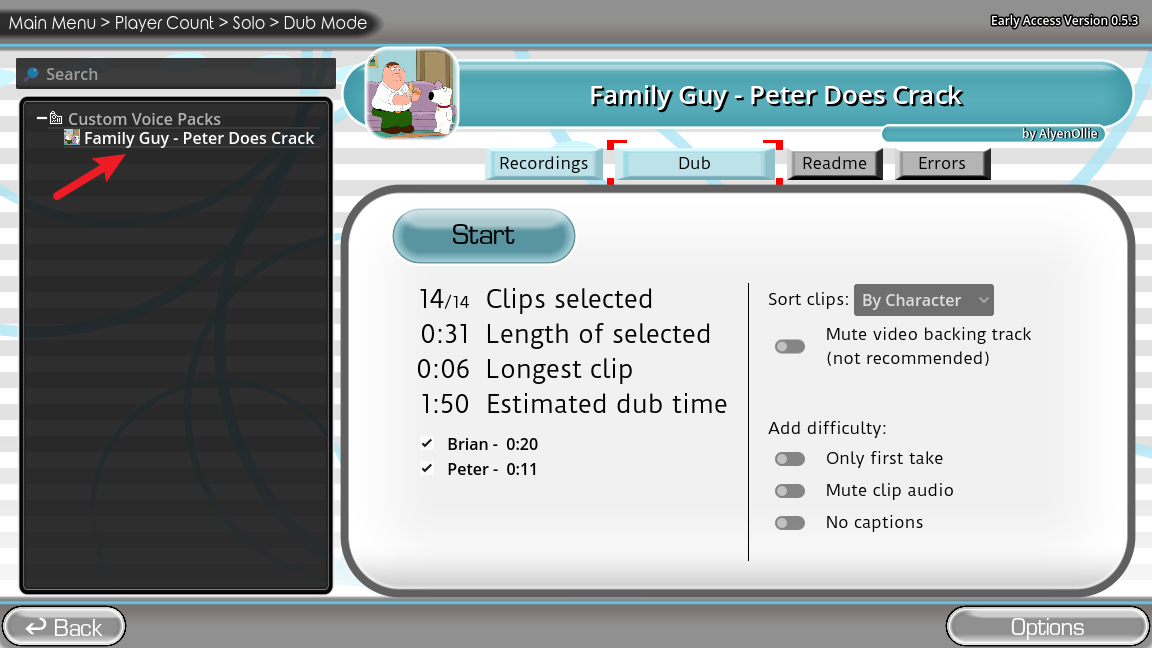
Dub Mode → select the pack → Start
Required files
Dub Mode Packs need the media files documented by the creator. In the game’s Modpack Guides screen, dub_video is required for the Dub Pack to be recognized and played. An optional _backing_track can provide background audio alongside the video.
dub_videoThe video being dubbed. Keep it inside the pack folder._backing_trackBackground audio that plays with the Dub video.Verify the install
If the pack does not appear after restarting, use the dedicated Pack Not Showing troubleshooting guide for a screenshot-based diagnosis of extraction, folder nesting, install location, Pack type and game-mode problems. When a creator’s instructions differ from this guide, follow the creator’s instructions.