
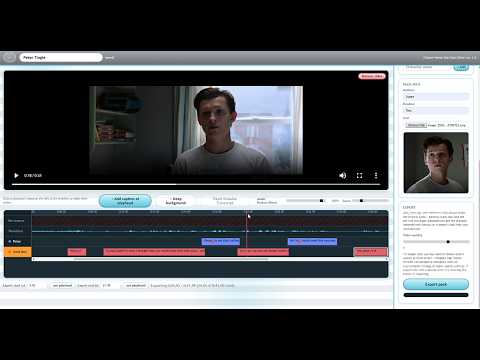
 Version 1.5 Guide
How To Make Dub Packs for Choicer Voicer (CVDPE 1.5)
The complete visual guide for CVDPE version 1.5. Demonstrates MP4 loading, trimming speech on the waveform, avatar frame capture, and packaging into a ready-to-play ZIP mod.
Choicer Voicer Dub Pack Editor ver. 1.5
Mark who says what, when, in a video, and export a ready-to-install dub pack.
🔒 100% Client-SideThis browser editor processes your media locally. Your video files never leave your machine (unless you optionally activate Demucs AI stem separation on export).
Zero-Install Web Creation Suite
The all-in-one browser studio for crafting custom Choicer Voicer Dub Mode packs. Import video scenes, slice audio on visual waveforms, isolate backing music with AI, and export game-ready ZIP mods in minutes.
Video Walkthroughs
Prefer visual walkthroughs? Follow these guided YouTube videos to see the entire Dub Pack creation workflow and in-game dubbing results in action.
Version 1.5 GuideThe complete visual guide for CVDPE version 1.5. Demonstrates MP4 loading, trimming speech on the waveform, avatar frame capture, and packaging into a ready-to-play ZIP mod.
 Gameplay Demo
The foundational demo showing how Choicer Voicer synchronizes the background scene video, dialogue prompts, and character portraits during gameplay.
Visual Step-by-Step Tutorial
From a raw video clip to a playable Choicer Voicer mod in five intuitive stages.
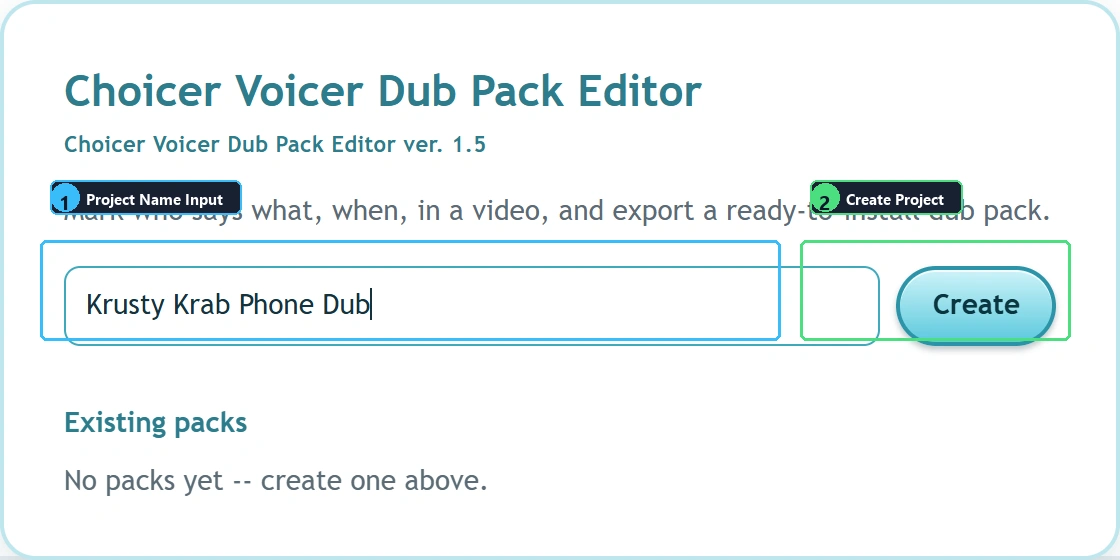
Start by initializing your project name in the editor dashboard. Then import your source scene clip via the file picker or drag and drop. The editor loads the video locally into memory with zero server upload.
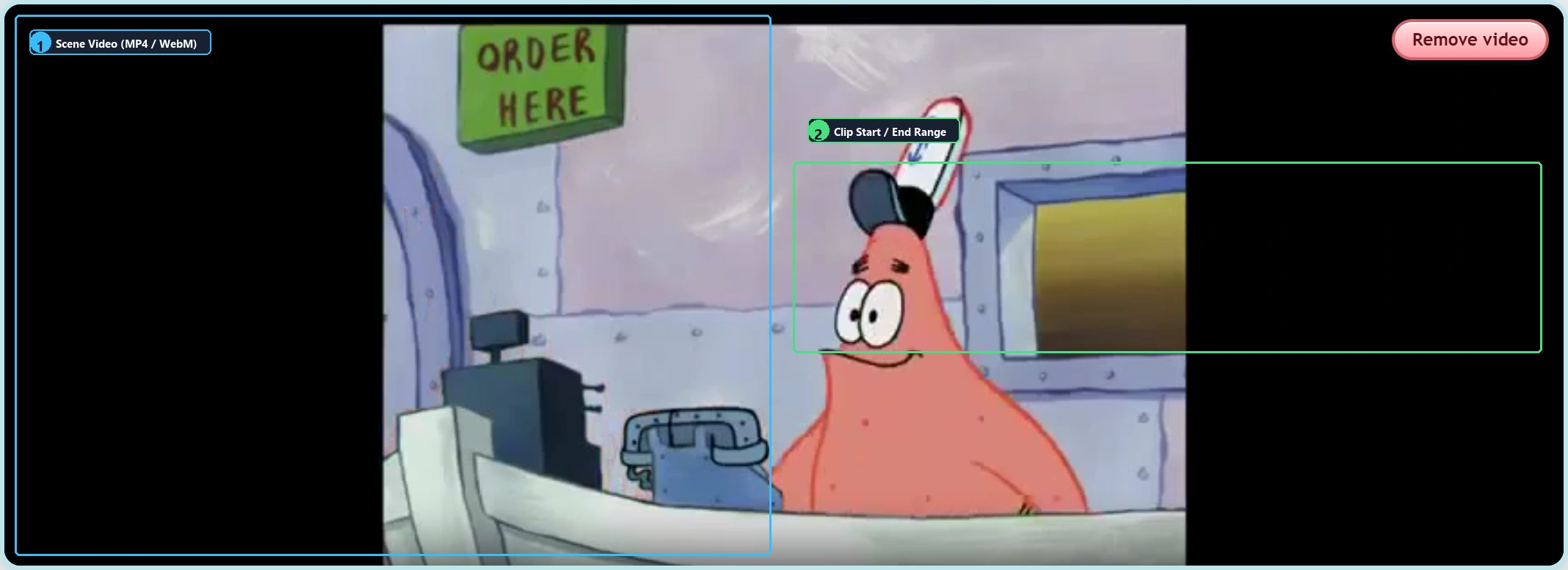
The interactive multi-track timeline visualizes every vocal burst and dialogue pause. Position the playhead and slice speech into cleanly bounded sentences for gameplay dubbing.

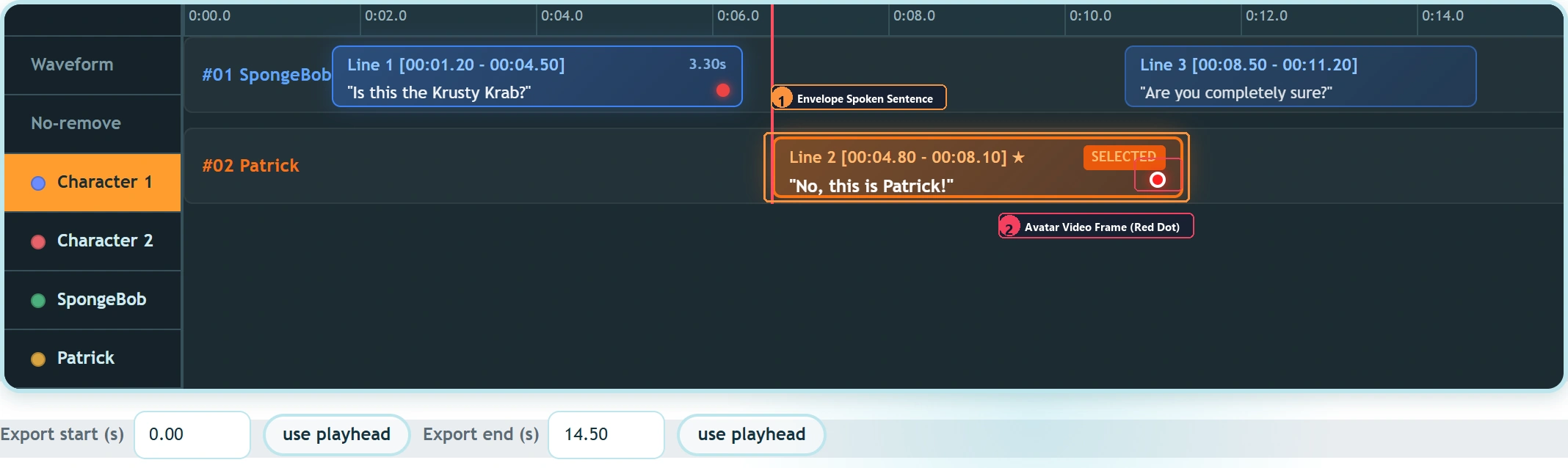
Assign unique IDs and colors to each speaking role. During gameplay, Choicer Voicer displays the active character's avatar and script prompt in the dubbing HUD.
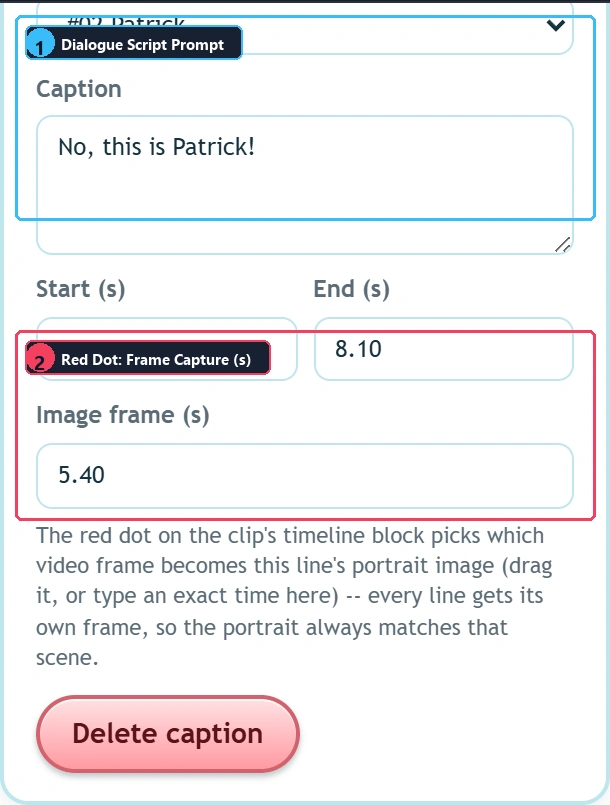
5.40) to select which video frame becomes that line's 1:1 square portrait avatar!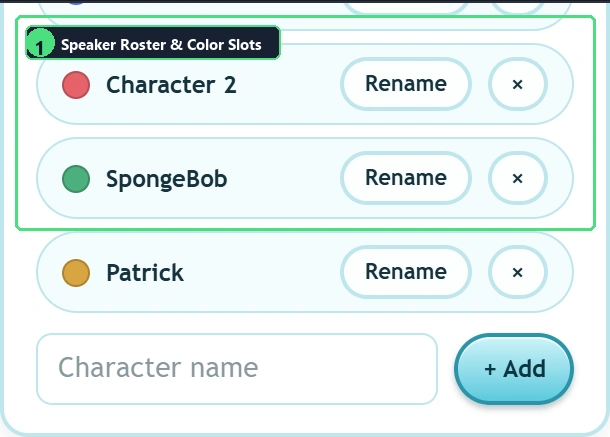
Dubbing over original dialogue requires isolating background music and sound effects. Demucs AI cleanses the master audio track so your recorded lines never clash with original voices.
_backing_track.mp3, keeping scene BGM and sound effects fully intact.dub_video.ogv retains original dialogue audio for player audition reference, while _backing_track.mp3 provides the clean instrumental bed for recording.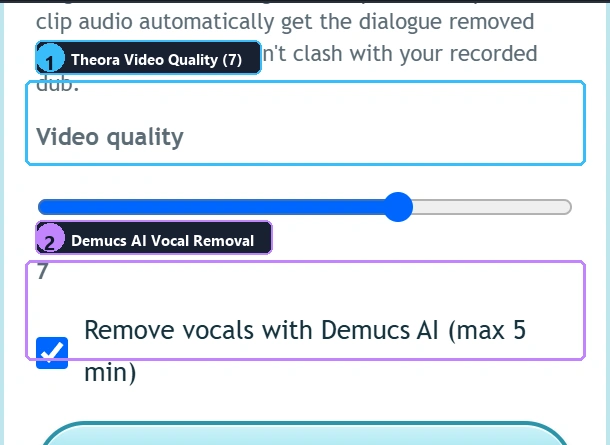
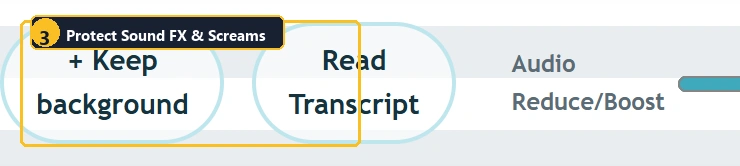
Compile your dub pack directly inside your browser. The editor transcodes the scene video, compiles voice clips, generates _pack_info.ini, and builds a game-ready ZIP archive.
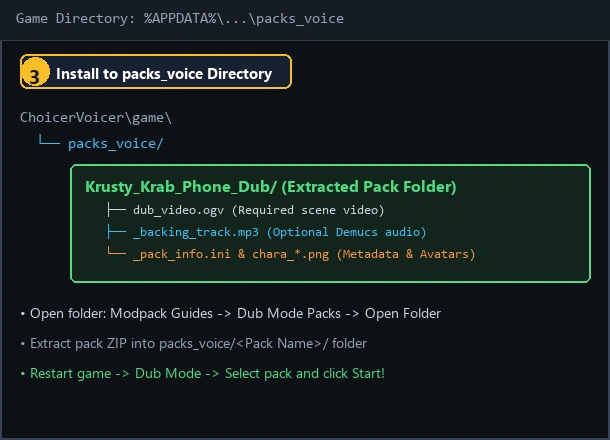
packs_voice): Extract your downloaded pack ZIP into its own folder (e.g. packs_voice/My Dub Pack/) inside %APPDATA%\YeahMaybe\ChoicerVoicer\game\packs_voice. In Choicer Voicer, you can quickly open this directory from the main menu by clicking Modpack Guides → Dub Mode Packs → Open Folder. Follow our step-by-step Dub Pack Installation Guide for complete instructions!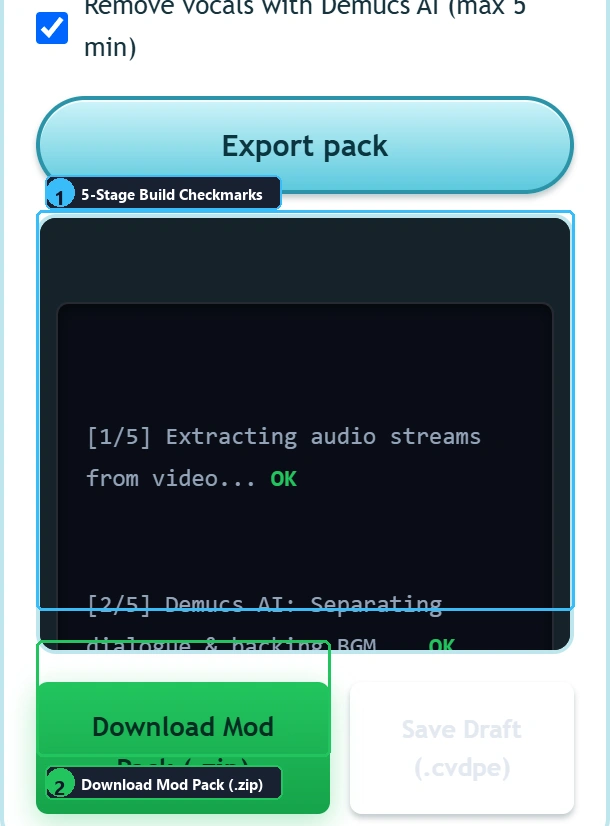
Under the Hood
Understanding what goes inside the exported ZIP archive and how the Godot game engine reads each file.
Unlike commercial video players, the Godot game engine utilizes the royalty-free Ogg Theora video codec for maximum portability across Windows, Linux, macOS, and Steam Deck. The Dub Pack Maker automates this transcoding process entirely within the browser via WebAssembly FFmpeg.
In Choicer Voicer, the _backing_track.mp3 starts playing at timestamp 0.0s lockstep with dub_video.ogv. When a player dubs a line, the game ducks the line's background or mixes the player's voice on top, delivering an authentic studio dubbing experience.
Because our maker adheres 100% to the official Choicer Voicer specification, the generated ZIP can be published directly to GameBanana or shared with friends without requiring any post-processing.
Pro Tips & Optimization
Follow these guidelines to ensure rapid export times and optimal in-game performance.
While the editor supports longer files, scenes between 30 and 90 seconds are the sweet spot for player engagement, rapid WebAssembly video transcoding, and smooth browser memory handling.
When slicing lines on the waveform, leave roughly 0.1 seconds of silence before the first syllable and after the last consonant to avoid harsh clipping and preserve natural breathing.
Ensure voice clips are normalized around -3dB. If voice lines are too quiet, player dubbing might overpower them; if they are too loud, distortion may occur in Godot's audio bus.
Before uploading your modpack to community forums, drop your ZIP into our Dub Pack Checker to verify video codecs, audio lengths, and INI formatting in seconds.
Why Use This Web Tool
See how our unified browser studio compares to manual command-line and desktop scripts.
| Feature / Workflow | Web Dub Pack MakerRecommended | Manual Python / FFmpeg | Standard Desktop Editors |
|---|---|---|---|
| Installation Required | ✓ Zero Install (Pure Browser) | ✕ Complex Setup (Python, Pip, CLI) | ✕ Gigabytes of desktop software |
| Visual Waveform Slicing | ✓ Built-in Interactive timeline & zoom | ✕ Manual Timestamp typing in text files | ✓ Supported but not game-aware |
| Godot OGV Video Transcoding | ✓ 1-Click Built-in WASM FFmpeg | ~ Terminal Complex CLI flags | ✕ Unsupported Theora codec missing |
| Character Portrait Capture | ✓ Instant 1-Click video frame snap | ✕ Manual Screenshot & Photoshop crop | ~ Manual Export & resize needed |
| AI Vocal Separation | ✓ Cloud GPU Integrated Demucs isolation | ~ Local GPU PyTorch CUDA required | ✕ Extra Plugins or external tools |
| Pack Archive Assembly | ✓ Automated Validated game-ready ZIP | ~ Manual Folder zipping & INI writing | ✕ None Game format unsupported |
| Privacy & Security | ✓ Local Media Files stay in browser | ✓ Local Only Runs on user device | ✓ Local Only Runs on user device |
Frequently Asked Questions
Common questions about video formats, AI stem separation, game compatibility, and troubleshooting.
Yes! The Dub Pack Maker is 100% free and runs directly in modern web browsers (Chrome, Edge, Firefox, Safari) with no software installation, no account registration, and no paywalls.
Choicer Voicer is built on the Godot engine. Godot uses open-source Ogg Theora video decoding natively for cross-platform stability. Our editor automatically transcodes your MP4 video into the required dub_video.ogv file right in your browser using WebAssembly FFmpeg.
No. Video decoding, audio extraction, waveform generation, and video transcoding to OGV happen 100% locally on your device via WebAssembly and Web Audio API. Only if you optionally enable Demucs AI Vocal Isolation upon export is the temporary audio track sent to Replicate GPU servers for stem separation.
We recommend short, dynamic scenes between 30 seconds and 3 minutes in 720p (1280x720) or 1080p resolution at 30fps. Since browser-based WebAssembly has memory constraints, shorter clips encode much faster and ensure silky-smooth in-game playback.
Each dialogue line is assigned to a character with a unique ID (such as #01, #02, #201). When that line plays in-game, Choicer Voicer displays the matching chara_[id].png avatar. Our editor lets you snap character portraits directly from any video frame with a single click.
In the original scene, character voices are often mixed together with background music and sound effects. Demucs AI isolates dialogue vocals from the instrumental accompaniment, leaving you with a clean _backing_track.mp3 so voice actors can dub over the scene with the original background music preserved.
Extract the downloaded pack into its own folder inside the game's voice packs directory: "%APPDATA%\YeahMaybe\ChoicerVoicer\game\packs_voice" (e.g., packs_voice/My Dub Pack/). In Choicer Voicer, you can open this folder directly via Modpack Guides → Dub Mode Packs → Open Folder. See our How to Install Dub Packs guide for details.
Yes! Click "Save Draft (.cvdpe)" at any time to save a lightweight project file. You can load this project file back into the editor whenever you want to tweak dialogue timings, adjust characters, or re-export.
Check the structural validity of an existing pack, convert standalone MP4 videos into Godot OGV format, or play community packs online.